



Claude Code vs Cursor: the difference that actually matters
Not a feature table. What changes in how you work, which one suits which kind of project, what each costs in practice, and why plenty of people end up running both
 Denis Romanovbuilds with both, daily
Contents13 sections
- The one difference everything else follows from
- What that changes in practice
- Which one for which project
- The failure modes are different, and that matters more than the wins
- What a day looks like in each
- Context: the thing both tools live or die on
- Money
- The setup you will probably end up with
- Things that do not decide it, despite what you read
- How to actually decide, in one evening
- A note for people who do not write code
- Quick answers
- What to take away
Short version: Cursor is an editor with a model inside it. Claude Code is an agent in your terminal that you hand a whole folder to. The difference is not the model, it is who holds the steering wheel and how much you see while it drives
Both are good. They fail in different ways, they suit different projects, and the comparison people usually publish, a table of features, tells you almost nothing about which one you will actually enjoy
The one difference everything else follows from
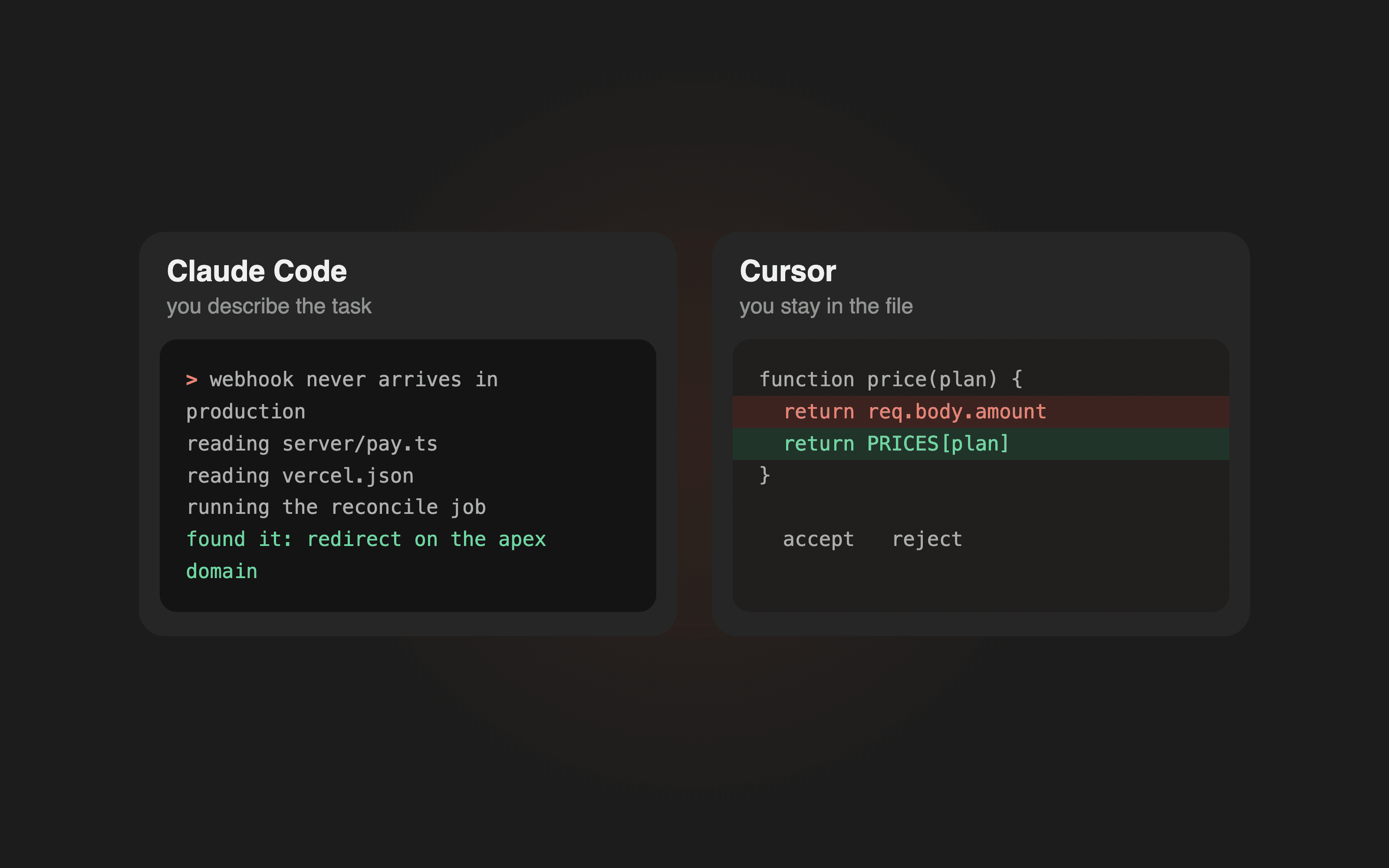
In Cursor, you are in the file. The editor is the surface, the model works next to you, and you see every line it touches as it touches it. You are approving edits inside a document you are already reading
In Claude Code, you are in the project. You describe a task, and the agent opens files you have not looked at, edits several of them, runs the thing, reads the error, and comes back with a result. You are reviewing an outcome, not a keystroke
Everything below is a consequence of that one line
What that changes in practice
Cursor is better at the edit you can point to. You know the file. You know roughly what should happen. You want it done in ten seconds without describing context
Claude Code is better at the task you can only describe. "Payments work locally but the webhook never arrives in production, find out why." Nobody can point at that. The agent goes looking
Cursor keeps you in the loop by default. Which is protection when you do not know the codebase, and friction when you do
Claude Code keeps you out of the loop by default. Which is speed when the task is clear, and a problem when it quietly rewrote three files you had not thought about
Which one for which project
| Situation | Better fit | Why |
|---|---|---|
| First project, no code experience | Cursor | you see what changes, and files are visible objects |
| Landing page, small site | either | the project is small enough that both hold it |
| A bug you cannot locate | Claude Code | the work is searching, not typing |
| Refactor across many files | Claude Code | pointing at forty files is not a workflow |
| Learning what the code does | Cursor | reading is the point, and it keeps you reading |
| Repeated chores, scripts, releases | Claude Code | it runs commands and reads their output |
| Working inside a big existing repo | Cursor first | see the shape before letting anything loose in it |
The pattern is simple. The more the task is "look, decide, act across the project", the more the terminal agent wins. The more it is "change this thing I am looking at", the more the editor wins
The failure modes are different, and that matters more than the wins
Cursor's failure mode is a false sense of review. Edits scroll past, they look plausible, you accept them because accepting is one key. Twenty accepted diffs later, nobody has actually read anything. The interface makes reviewing feel like it happened
Claude Code's failure mode is scope. You ask for one thing, it decides three adjacent things also need fixing, and it is not wrong, but now the change is large and you did not plan for it. It is much harder to notice a file that was edited when you never opened that file
Both failure modes have the same antidote, and it is not the tool: commit before you start, commit after each thing that works, and read the diff before you move on. With version control, both tools are recoverable. Without it, both are a lottery
What a day looks like in each
Concrete, because the abstract comparison hides the feel of it
A day in Cursor. You open the project, you see the tree, you click into the file you were in yesterday. You describe a change in the sidebar and watch a diff appear. You accept, run the page, look, ask for the next thing. Your attention lives in one file at a time and moves when you move it
A day in Claude Code. You describe the task once, in a few sentences. The agent lists the files it plans to touch, edits them, runs the project, hits an error, reads it, fixes it, runs again. You read a summary of what happened and the diff of what changed. Your attention lives at the level of tasks
The second one is faster when you know what you want. The first one is safer when you do not
There is also a difference nobody mentions until they hit it: what happens when you are wrong about the task. In an editor you notice early, because you are watching each step. With an agent you notice at the end, after twenty minutes of confident work in the wrong direction. That is not an argument against agents. It is an argument for describing the task properly before starting one
Context: the thing both tools live or die on
Neither tool is smart about a project it has not been told about. Both work dramatically better with a short project file at the root: what this is, what lives where, what the rules are, what must never be touched
Cursor reads it as project rules. Claude Code reads it at the start of a session. Same idea, same payoff, and it is the single highest leverage twenty minutes you can spend on any project
Without it, every session starts with the tool guessing your conventions, and guesses drift. With it, both tools stop asking where things are and start doing the work
Money
Both sit at the same entry price, around twenty dollars a month, with higher tiers above that. Neither is meaningfully cheaper for normal use, so price is not the deciding factor
What does differ is how the usage feels. In an editor, a heavy day is many small requests. In a terminal agent, a heavy day is a few long ones that read and write a lot of files, and long agent sessions eat allowance faster than they look like they should
Watch the limits in the first month rather than picking a tier in advance. Most people who upgrade do it because of long agent sessions, not because of the editor
The setup you will probably end up with
Ask around and you find the same answer more often than any single tool: both, on different jobs
The editor stays open, because reading code, jumping to a definition and making a pointed change is what an editor is for. The terminal agent runs beside it for the tasks that are really investigations, refactors or chores
They do not conflict. They are looking at the same folder on disk. The only rule is not to have both editing at the same moment, for the same reason two people should not edit the same paragraph at once
If you want one to start with, pick by what you are afraid of. Afraid of not understanding what changed, start with Cursor. Afraid of spending the evening as a courier between a chat and your files, start with Claude Code
Things that do not decide it, despite what you read
The underlying model. Both let you work with strong models, and the gap between them is smaller than the gap between a clear task description and a vague one
Benchmarks. They measure puzzle solving. Your evening is not a puzzle, it is a mess of context, and the winner is whichever tool makes your context easiest to hand over
Autocomplete quality. Genuinely nice in an editor, and it does not change what you can build, only how fast you type things you already know how to type
Extensions and integrations. They matter after month three. In month one they are a distraction
How to actually decide, in one evening
Take a task you already know how to do. Not a toy, not a demo, something real and small. A page with a form, a script that produces a report you make by hand every week
Do it in one tool. Then do the same task, from scratch, in the other. Same task, so the only variable is the tool
Then answer two questions honestly. Where did the time go. And at the end, did you know what changed in your project
The second question is the one that predicts how the next three months will feel. Speed is easy to feel and easy to overrate. Knowing what changed is what keeps a project alive past week two
A note for people who do not write code
Both tools were built for developers, and both are usable without being one. But the failure modes above hit non developers harder, because a plausible looking diff is harder to doubt when you cannot read it fluently
Two habits fix most of that. Ask the tool to explain a change in plain language before you accept it. And run the thing after every step, because a running product is a review that does not require reading code
That is also the honest reason a beginner often does better in the editor first: seeing files, folders and changes builds the mental model that the terminal agent assumes you already have
Quick answers
Can I use both on the same project. Yes, they read the same files on disk. Just do not let both edit at the same moment
Which is better for someone who cannot read code. Cursor to start, because seeing files and diffs builds the model of what a project is. Move to the agent once that is no longer mysterious
Is one of them cheaper. No, both start around twenty dollars a month. Long agent sessions consume more allowance than editor work, so the terminal path tends to push you up a tier sooner
Do I still need to know git. Yes, and more than with any other way of working. Both tools change files fast, and version control is the only thing that makes that reversible
Which one do you use. Both, most days. Terminal agent for tasks and investigations, editor for reading and pointed edits
What to take away
The tools are close. The workflow is not. Cursor puts you in the file with a model beside you. Claude Code puts you above the project with an agent inside it
Pick by the shape of your work, not by a feature list. Keep version control regardless. And expect to end up with both open, because after a few weeks the question stops being which tool is better and becomes which one fits the next hour
Read next